



How-Tos
How to Run a PowerShell Script on Multiple Computers
To run powershell script on multiple computers reliably, you need to know which method breaks on offline machines, workgroups, and Mac endpoints.
Apple School Manager is a valuable tool for any education institution that wants to use Apple devices. Read on to learn more about this tool.
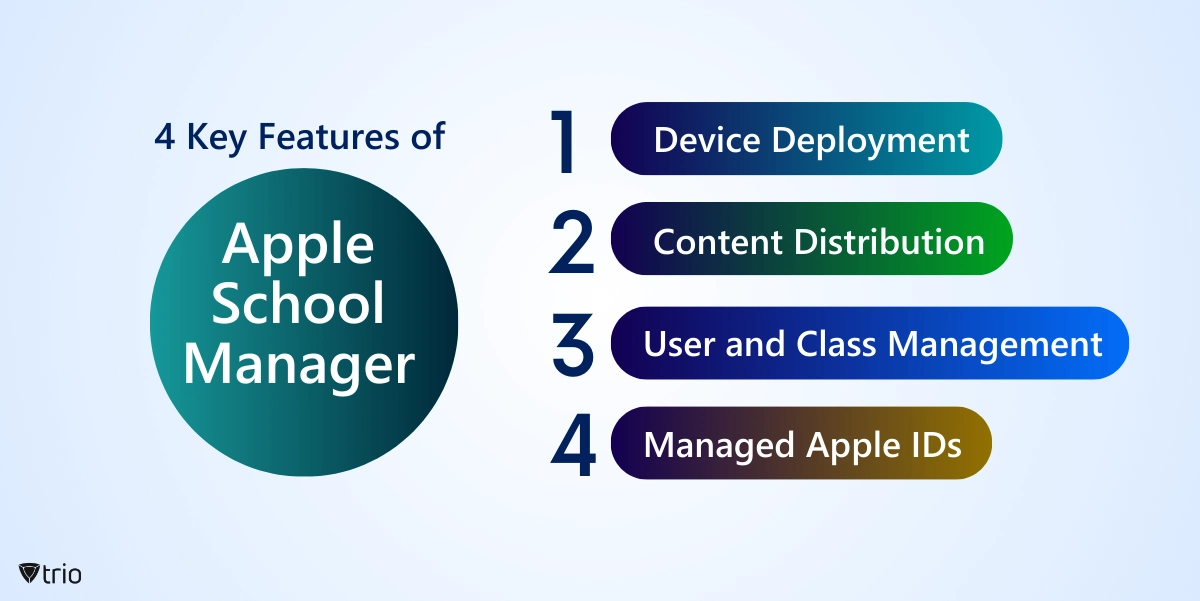
According to Business of Apps, “In 2022, 232 million iPhones, 61 million iPads, and 26 million Mac and MacBook units were sold.” Apple devices are everywhere, including in organizations and educational institutions. For schools, Apple has tried to make managing devices easier with a product called Apple School Manager (ASM). This is a powerful tool tailored for educational institutions to efficiently manage Apple devices, apps, and content within school environments. ASM offers administrators a centralized platform equipped with various features to simplify device deployment, content distribution, user and class management, and the creation of Managed Apple IDs. In this guide, we'll explore the functionalities of ASM, how to set it up, and its integration with Mobile Device Management (MDM) solutions.
Apple School Manager (ASM) is a web-based portal designed specifically for educational institutions to manage Apple devices, apps, and content in schools. It provides administrators with tools to streamline the setup, deployment, and management of Apple devices such as iPads and Macs within an educational environment. Think of it as an iPad management software for schools. Some key features and functionalities of Apple School Manager include:
When you want to sign up for ASM, the device you are using must have some basic requirements to check out on this page. If you’re sure that you meet Apple’s standards, follow the sign-up procedure. You will need to fill out the form with details such as:
The form continues to ask details about you, the person signing up, such as your work email address and job title. Afterward, your form will be reviewed by Apple. In these steps, your verification contact, which you’ve written in the form, will have to approve you through a link sent to their email. When this is done, you will be able to complete the enrollment process through the link sent you your email. Devices can be added to your school both manually and automatically. To add Apple device automatically, they fit the descriptions below:

ASM integrates with your institution’s Mobile Device Management (MDM) solution just like its sister interface, Apple Business Manager (ABM). Most organizations that have Mac devices and use an MDM solution, need ABM as well. ASM is simply a version of ABM specifically made for educational institutions. Both of these can be used with Apple’s MDM software, Apple Business Essentials which is a cloud-based MDM. Many organizations prefer stronger, more capable MDM solutions. Trio is an MDM solution that allows organizations to manage and secure all their Apple devices by integrating with Apple Business Manager (ABM). It also facilitates the activation of Apple Device Enrollment (ADE), previously known as DEP, for enrolling devices bought from authorized resellers without any manual setup. Trio’s VPP token activation feature also enables organizations to purchase apps and licenses in large quantities. Try out Trio’s free demo to see its seamless integration with Apple devices yourself.
In conclusion, Apple School Manager emerges as a vital resource for educational institutions seeking to effectively manage their Apple ecosystem. With its intuitive interface and robust features, ASM streamlines administrative tasks, enhances device deployment processes, and promotes a conducive learning environment for students and educators alike. As a cherry on top, Apple's School Manager’s cost is nothing; it’s free. By leveraging ASM's capabilities and integrating it seamlessly with MDM solutions like Trio, educational institutions can optimize device management workflows and focus on delivering quality education experiences. Explore the possibilities of ASM and elevate your institution's digital learning initiatives today.
Every organization today needs a solution to automate time-consuming tasks and strengthen security. Without the right tools, manual processes drain resources and leave gaps in protection. Trio MDM is designed to solve this problem, automating key tasks, boosting security, and ensuring compliance with ease.
Every organization today needs a solution to automate time-consuming tasks and strengthen security. Without the right tools, manual processes drain resources and leave gaps in protection. Trio MDM is designed to solve this problem, automating key tasks, boosting security, and ensuring compliance with ease.





Have questions? We've got answers. This section covers some of the most commonly asked questions related to this topic.
Related
The related industry news, interviews, technologies, and resources.
To run powershell script on multiple computers reliably, you need to know which method breaks on offline machines, workgroups, and Mac endpoints.
You can stop employees from installing software on Windows using GPO, AppLocker, or MDM. Here's how each method works and which fits your setup.
If you want to know how to block websites on iPhone, this guide covers Screen Time, DNS filtering, and MDM — including where each method breaks down.
If you're learning how to block an app on iPhone for a managed fleet, start here: supervised enrollment is the gate to real MDM enforcement.
Learn how to choose the right MDM solution with 9 essential criteria. Complete guide for evaluating features, security, and vendor capabilities.
Learn how to execute scripts remotely with security in mind. Methods, best practices, and scaling strategies for IT operations.
Complete guide to pushing Android remote updates with MDM. Learn methods for app, system, and policy updates across managed devices.
Explore all methods to remotely lock Windows PCs - from built-in Windows features to MDM solutions and enterprise management tools.