



MSP
MSP Onboarding Checklist (Free Word + Excel Template)
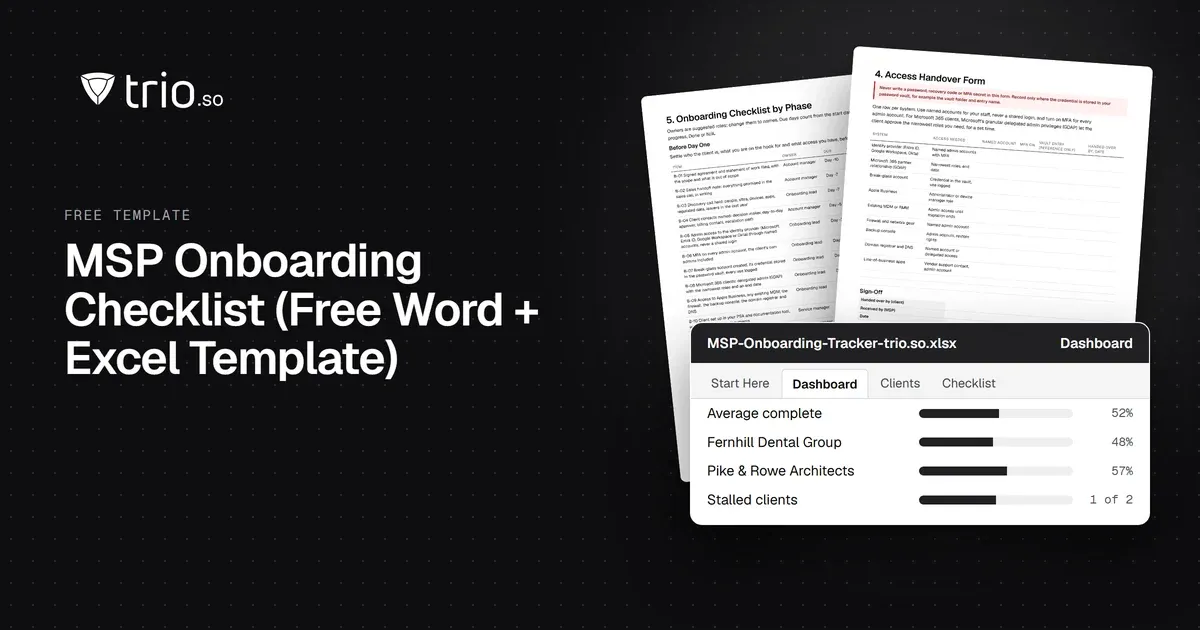
Free MSP onboarding checklist in Word, Excel and PDF: access handover, inventory, enrollment, baseline policies, a security check and offboarding.
What is an MSP? A managed service provider runs a business's IT for a monthly fee. Here is what MSPs do, how they charge and how to choose one.

Content writer, trio.so
An MSP, short for managed service provider, is a company that runs part or all of another business's IT for a recurring monthly fee. The MSP monitors devices, fixes problems, applies updates and handles security, so the client does not need a full in-house IT team. "Managed" means the work is ongoing and planned, not a call after something breaks.
If you heard the term from a vendor, a colleague or a job post, the sections below cover what an MSP does, what it costs, how it differs from an MSSP, and how to pick one. If you run an MSP, skip to the tool stack section.
MSP stands for managed service provider. In IT, the "service" is a defined set of tasks, such as monitoring, help desk or patching, delivered under a contract with agreed targets.
Before MSPs became common, most small businesses used break-fix IT. Something stopped working, they called a technician, and they paid for the hours. An MSP charges a fixed monthly fee instead, and is paid to prevent problems: patching, monitoring, backups and security checks run all the time in the background.
Under break-fix, the technician earns more when things fail. Under a managed contract, the MSP usually earns more when things stay quiet, because every ticket costs them time.
The scope depends on the contract, but most MSPs cover some mix of these:
Ask for the scope in writing, because what an MSP leaves out matters as much as what it includes.
MSPs bill in a few ways. The most common are per device, per user, a mix of both, and tiered bundles. In Kaseya's 2023 Global MSP Benchmark Survey of 1,091 providers, the most common billing model was a combination of per-user and per-device pricing (26%), followed by per-user all-in pricing (21%), value-based fixed fees (14%) and per-device pricing (13%).
| Price per month | Providers charging per device | Providers charging per user |
|---|---|---|
| Under $50 | 20% | 16% |
| $50 to $100 | 28% | 22% |
| $101 to $150 | 11% | 17% |
| $151 to $200 | 5% | 11% |
| Over $200 | 5% | 5% |
| Do not offer this model | 30% | 28% |
Source: Kaseya, 2023 Global MSP Benchmark Survey, 1,091 respondents, mostly in the Americas. Prices are what the MSP charges its clients, and scope differs between providers, so use the bands as a sense of range, not a quote.
A per-device price suits a client with shared machines. A per-user price suits a client where each person has a laptop and a phone. Tiered bundles trade flexibility for simplicity. Whichever model you are offered, check what happens to the price when you add a person or a device.
An MSSP, or managed security service provider, focuses on security: monitoring, detection and response. An MSP focuses on keeping IT running, with security as one part of the job. Many MSPs now offer security services or partner with an MSSP for the deeper work. Our guide to managed security service providers explains where the line sits.
Internal IT is the third option: you employ the people. That gives you someone who knows your business and sits in your office. It also means you carry hiring, vacation coverage and the gaps in one person's skills. Many companies run a hybrid, with one internal person and an MSP for monitoring, patching and after hours coverage. The same pattern shows up in managed IT services.
Behind the service sits a stack of tools. Each does one job, and an MSP usually runs all of them across every client.
| Tool | Job |
|---|---|
| RMM (remote monitoring and management) | Watches machines, runs scripts and gives the technician remote access |
| PSA (professional services automation) | Tickets, time tracking, contracts and billing |
| MDM or UEM (mobile device management or unified endpoint management) | Enrolls devices, enforces settings and apps, patches, and handles phones and tablets |
| Backup | Copies client data so it can be restored |
| Security | Endpoint protection, email filtering and identity controls |
Tool sprawl is common among MSPs. In a 2025 Cynet survey of 200 people at US-based MSPs (owners, executives and security leads at firms of 5 to 100 employees), most used four security tools from four different vendors, and the average MSP managed 50 clients and 1,728 endpoints. Every extra tool is another console, another login and another bill per client.
Compare tools before you commit. Our guide to NinjaOne alternatives lists the options, and multi-tenant Active Directory covers the identity side of running many clients at once.
For the device layer, trio.so gives an MSP one console for every client, with each client's devices, users and policies kept separate. It manages Windows, macOS, Linux, iOS and iPadOS, and Android, and includes remote desktop and terminal in every plan. It is not a PSA: ticketing and billing stay in your existing tool. See trio.so for MSPs and MSSPs for the details. Plans start at $5 per device on the pricing page. MSP pricing is quoted on request.
If you are a small business buying managed IT, these questions separate providers quickly:
You may not need an MSP at all. A company with a handful of laptops and one capable person may do better with that person and good device management tooling. An MSP starts to pay off when your needs outgrow one person's time or skills.
trio.so brings device management, patching and security policies for Windows, macOS, Linux, iOS/iPadOS and Android into one console. Enroll a device and see it in the console within minutes.
trio.so brings device management, patching and security policies for Windows, macOS, Linux, iOS/iPadOS and Android into one console. Enroll a device and see it in the console within minutes.





Related
The related industry news, interviews, technologies, and resources.
Free MSP onboarding checklist in Word, Excel and PDF: access handover, inventory, enrollment, baseline policies, a security check and offboarding.
NIS2 covers managed service providers across the EU. See when it applies to your MSP, what Germany's law says, and what clients will ask you to show.
The MSP security stack in 2026: the layers to cover, the tool category in each, and what clients now expect you to show. Start with endpoints and identity.
Best RMM software for MSPs in 2026, compared on multi-tenancy, Mac and Linux coverage, patching, remote access and pricing.
MSP vs MSSP in plain terms: what each delivers, where patching and endpoint security overlap, and when an MSP should partner for MDR or build.
Co-managed IT explained: who does what, how to split roles between internal IT and an MSP, and how to give both access to one device console.
The MSP software stack by job in 2026: RMM, PSA, MDM, patching, backup, security. What each covers, where RMM stops, and how to evaluate.
14-day free trial. No credit card required.
trio.so for MSPs: one console, separate clients