


Explained
NinjaOne Alternatives for IT Teams and MSPs
Eight NinjaOne alternatives for internal IT and MSPs, compared on RMM and MDM depth, platforms and published pricing, with NinjaOne's own price range.
What multi-tenant Active Directory means, shared forests, separate forests with trusts, Entra multitenant organizations, and how to design and secure each.

Content writer, trio.so
"Multi-tenant Active Directory" means one of two things. On premises, it is a single Active Directory (AD) environment that holds several organizations, each kept apart in its own organizational unit or domain, or a set of separate AD forests, one per organization, connected by trusts. In the cloud, it means several Microsoft Entra ID tenants working together, for example through a Microsoft Entra multitenant organization, cross-tenant synchronization or B2B collaboration. The key design fact is that in AD the forest, not the domain or the OU, is the security boundary: organizations that must be fully isolated from each other need their own forest or their own Entra tenant.
If you host directories for several companies, or you are joining two organizations' tenants, the comparison table below shows the options side by side; the sections after it cover design, security and the mistakes to avoid.
A tenant is an organization, or a part of one, whose users, computers and policies must be managed separately from everyone else's. Managed service providers (MSPs) and hosting companies serve many client tenants; groups of companies, and businesses after a merger, often run several. Multi-tenant Active Directory is any design that lets those tenants share infrastructure or work together while keeping their administration and data apart.
Two very different designs share the name:
| Option | How tenants are separated | Isolation | Best for |
|---|---|---|---|
| One forest, one OU per tenant | OUs with delegated admin rights and separate Group Policy | Low: forest-wide admins and the shared schema reach every tenant | Divisions of one company that trust each other |
| One forest, one domain per tenant | Child or tree domains in a shared forest | Low to medium: the forest is still the security boundary | Separate admin teams within one organization |
| One forest per tenant, with trusts | Separate forests linked by forest or external trusts | High: each forest is its own boundary; trusts can be one-way and filtered | Hosting several companies, or keeping a merged company separate |
| Microsoft Entra multitenant organization | Separate Entra tenants, joined with cross-tenant access and synchronization | High: each tenant keeps its own admins and policies | Groups of companies on Microsoft 365 that need to collaborate |
A forest is the outer container of Active Directory: it holds one or more domains that share a schema, a configuration and a global catalog. Microsoft treats the forest as the security boundary, because administrators of the forest root, such as Enterprise Admins, can reach every domain in it. A domain is a boundary for administration and replication, not for security.
OUs group users, computers and groups inside a domain. In a shared design, each tenant gets its own OU, and tenant administrators are given rights over their OU only. Group Policy can be linked per OU, so each tenant gets its own settings.
Trusts let users in one domain or forest sign in to resources in another. A forest trust connects two forests; an external trust connects two specific domains. Trusts can be one-way, so one organization's users can reach the other's resources but not the reverse, and selective authentication limits which users may cross.
The global catalog holds a searchable, partial copy of every object in the forest. In a shared forest, that means every tenant's objects are visible to directory searches unless you restrict read permissions, which is one of the reasons shared forests isolate tenants poorly.
Group Policy Objects (GPOs) apply settings to users and computers. Linking them per tenant OU keeps settings apart, but GPOs linked higher in the tree apply to every tenant below.
In the cloud, each organization normally has its own Microsoft Entra tenant, and Microsoft provides ways to connect them rather than share one:
Microsoft Entra Connect, or Cloud Sync, links an on-premises AD to a tenant. Check Microsoft Learn for the supported combinations of forests and tenants before you design, because they are specific and they change.
MSPs that manage clients' Microsoft 365 tenants usually do not join those tenants together at all. They work through Microsoft's partner tools with granular delegated admin privileges (GDAP), which give the MSP limited, time-bound admin roles in each client tenant.
If you are weighing whether you need AD at all for new tenants, LDAP alternatives covers cloud directories and single sign-on.
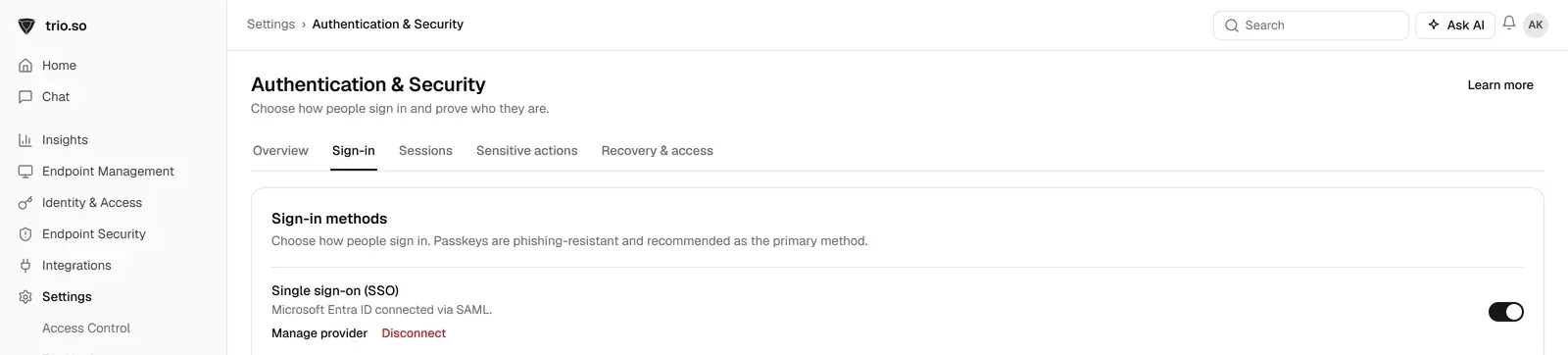
Whichever directory design you use, devices should belong to the right people without retyping users into another tool. trio.so syncs users from Microsoft Entra ID or Google Workspace and supports SCIM 2.0 user provisioning with Microsoft Entra ID, so users and their devices line up with your directory. For MSPs, trio.so manages several client companies from one console, with each client's devices, users and policies kept separate.
Multi-tenant Active Directory covers two designs: several tenants inside one AD forest, or separate forests and Entra tenants connected where they need to work together. The forest is the security boundary, so separate companies belong in separate forests or tenants. Delegate narrowly, keep admin accounts tiered and separate, make trusts one-way and filtered, and plan from the start how a tenant will leave.
trio.so syncs users from Microsoft Entra ID or Google Workspace and supports SCIM provisioning with Entra ID.
trio.so brings device management, patching and security policies for Windows, macOS, Linux, iOS/iPadOS and Android into one console. Enroll a device and see it in the console within minutes.
trio.so brings device management, patching and security policies for Windows, macOS, Linux, iOS/iPadOS and Android into one console. Enroll a device and see it in the console within minutes.





Have questions? We've got answers. This section covers some of the most commonly asked questions related to this topic.
Related
The related industry news, interviews, technologies, and resources.
Eight NinjaOne alternatives for internal IT and MSPs, compared on RMM and MDM depth, platforms and published pricing, with NinjaOne's own price range.
What replaces LDAP and Active Directory today: SAML and OIDC SSO, SCIM, cloud directories, FreeIPA and Samba, with a table to choose by situation.
RADIUS vs LDAP: seven key differences between the two authentication protocols and tips for deploying them.
Explore dynamic VLAN assignment, its benefits for network security, & strategies to overcome implementation challenges in modern IT infrastructure.
Discover the key differences between leading IAM solutions Okta vs. Ping Identity to decide which fits your business needs best.
Read this blog to explore the pros and cons of best-of-breed vs. all-in-one solutions to optimize your IT strategy effectively.
Wondering how to optimize your IT strategy? The domainless enterprise model offers a revolutionary approach to managing modern IT landscapes.
Discover DNSSEC benefits to strengthen your cybersecurity by protecting against DNS vulnerabilities, boosting data integrity, and enhancing authentication.
14-day free trial. No credit card required.
trio.so for MSPs: one console, separate clients